Simulation Analysis Of Capacitive Touch Screen
Leave a message
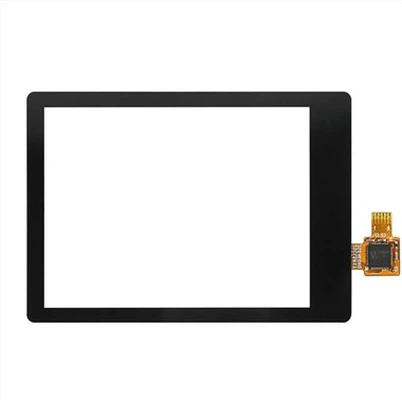
Touch screen technology is used in mobile phones, e-book readers, computers, and even consumer electronic products such as watches. Some form of capacitive sensing is used in a large number of touch screens. Let's take a look at how to use the AC/DC module of COMSOL Multiphysics to analyze this type of capacitive sensor.
Introduction to Capacitive Sensing
For capacitive sensors such as those used in touch screen devices, they contain a large number of conductive electrodes embedded in transparent dielectric materials (such as glass or even sapphire screens). The electrodes themselves are very thin, made of almost completely transparent material, and invisible to the naked eye.
Let's start with a very basic structure, which includes two electrode arrays intersecting at a 90° angle, as shown in the figure below.
Please note that the actual touch screen is more complicated than what we have seen here, but the simulation skills are basically the same.
Simplified schematic diagram of the core components in the capacitive touch screen sensor (not to scale)
When a voltage difference is applied between any two or more electrodes, an electrostatic field is generated. Although the electrostatic field is strongest between the electrodes and the area surrounding the electrodes, it still extends a certain distance outward. When a conductive object (such as a finger) approaches this area, the electric field will change, so that the change in the combined capacitance between the two active electrodes can be detected. It is through this capacitance difference that we sense the position of the finger that is touching the screen.
When a potential difference is applied between some of the electrodes, the other electrodes can be electrically insulated individually, or electrically connected as a whole, but still in an electrically insulated state. Therefore, they can have a constant but unknown potential.
The correct simulation of these electrodes, surrounding metal shells, and other dielectric objects is the key to calculating capacitance changes. Let's take a look at how to use the function of the AC/DC module to achieve this.
Simulate the capacitive sensor in a watch
For such a relatively small device, we can simulate the entire structure; the size of the sensor is only 20 * 30 mm, and the distance between the two electrodes is 1 mm. For larger touch screens, it is more reasonable to consider only a small area of the entire screen.
Capacitive sensor embedded in the glass dial (transparent). The strap and case are for visualization purposes only.
As shown in the figure below, the simulation domain is a cylindrical area. This area contains the glass screen, fingers, and the air around the watch. We have reason to believe that the influence of the size of the surrounding air will rapidly decrease as the size increases.
Boundary conditions used
Here, the boundary of the air domain is set as a zero-charge condition to simulate the boundary as a free space. In addition, two of the parallel electrodes are set as ground boundary conditions, and the voltage field is fixed at zero. Two of the vertical electrodes are set as terminal boundary conditions, and the voltage is a constant value. The terminal boundary conditions will automatically calculate the capacitance. All other boundaries are simulated by floating potential boundary conditions.
Visualize the finite element model. The finger (gray), the electric shield (orange), and all the unexcited electrodes (red and green) are simulated by the floating potential boundary condition. A potential difference is applied to the two electrodes (white and black). Part of the dial (cyan) is hidden. All other surfaces use electrical insulation boundary conditions (blue). The air and the dial are volume meshed. For the sake of clarity, only part of the surface of the grid is shown.
The floating potential boundary condition is used to represent a set of surfaces on which charge can be redistributed freely. The purpose of the setting is to simulate the boundary of an object with a constant but unknown potential. This is the result of applying an external electrostatic field.
This type of floating potential boundary condition is used on several sets of surfaces, such as the bottom surface of a watch, which represents the electrical shielding under the glass case. The electrodes that are not currently excited are part of a single floating potential boundary condition (assuming that all electrodes are electrically connected together). Note that the floating potential group option can be used to allow each physically independent boundary to float to a different constant voltage. It is also possible to combine electrodes of any combination into the same group to electrically connect them together.
The finger boundary (when included in the model) also uses the floating potential boundary condition. It is assumed that the human body is a relatively good conductor relative to air and dielectric layers.
Materials used
Only two different materials are used here. Preset air materials are used in most domains, and the dielectric constant is set to 1. The screen uses a preset quartz glass material to give it a higher dielectric constant.
Although the screen itself is a sandwich structure composed of different materials, we can assume that all layers have the same material properties. Therefore, there is no need to explicitly model every boundary between them; all layers are treated as a single domain.
Visualize the color of the logarithm of the electric field value. Since the finger is seen as a floating potential, its internal electric field can be ignored.
Exact solution obtained using adaptive mesh refinement
To obtain accurate results, it is necessary to have a sufficiently refined finite element grid to analyze the spatial variation of the voltage field. Although we don't know where the most dramatic changes in the voltage field will appear before calculations, we can let the software decide by itself where smaller grid cells are needed through adaptive mesh refinement.
We used adaptive mesh refinement several times, and the results are shown in the table below. These results were obtained on a computer configured with a 3.7 GHz eight-core Xeon processor and 64 GB of memory:
It can be inferred from the above table that we can start with a very coarse mesh and then use adaptive mesh refinement to get a more accurate capacitance value. However, doing so will increase memory usage and prolong solution time. The difference in capacitance percentage is for the finest mesh.
Calculate the capacitance matrix
So far, we have only focused on the calculation of the capacitance between the two electrodes in the array. In fact, we hope to be able to calculate the capacitance between all electrodes in the capacitance array, that is, the capacitance matrix. The symmetrical square matrix defines the relationship between the voltage and charge applied to all electrodes in the system. For a system consisting of n electrodes and a ground, the matrix is:
These diagonal and non-diagonal terms are automatically calculated by the software. This part of the content will be described in more detail in subsequent blog posts.
summary
We studied an example of using the electrostatic simulation function of the AC/DC module to solve a capacitive touch screen device. Although the geometry is simplified for presentation purposes, the techniques described can also be applied to more complex structures.
When solving this type of finite element model, it is very important to study the convergence of the required physical quantity (in this case, it is usually the case of capacitance relative to mesh refinement). The adaptive mesh refinement function greatly improves the automation of the model verification step.
When solving such large models, you can also use the distributed parallel memory solver to get faster solution time. Of course, the function of COMSOL Multiphysics and its AC/DC module is not limited to the introduction in the article, you can use it to achieve more functions. If you want to know more, please contact us.
Reprinted with authorization from http://cn.comsol.com/blogs/, original author Walter Frei.