How to Select a High-Quality Industrial Display?
Leave a message
How to Select a High-Quality Industrial Display?
1. Confirm Application Environment (Determines Base Panel Grade)
Temperature Conditions
• Ordinary indoor workshops: Standard commercial-grade panels supporting 0~50°C are acceptable.
• Outdoor locations, cold storage, equipment cabins, high-temperature production lines: Opt for wide-temperature industrial panels (-20°C ~ 70°C).
Key point: Distinguish operating temperature range vs storage temperature range; select industrial long-lifespan LED backlights.
Dust, Moisture & Oil Contamination
• Scenarios with water splashes or washing requirements: Front panel with IP65/IP67 dustproof and waterproof rating.
• Machine tool and food processing workshops with heavy oil stains: AG anti-glare coating plus AF anti-fingerprint coating.
• Humid chemical environments: Complete machine with moisture-proof coating and anti-corrosion metal enclosure.
Vibration & Shock Prone Equipment (Machine Tools, Vehicle-Mounted Industrial PCs, Assembly Lines)
Adopt integrated full-metal housings and fanless structures as priority; plastic commercial casings are prone to backlight damage under vibration.
Ambient Light Conditions
• Regular indoor lighting: Brightness of 300~500 cd/㎡.
• Window-side stations or outdoor high-light environments: High-brightness industrial displays of 1000~2000 cd/㎡ with AR anti-reflection coating.
Without high brightness, screen reflection will blur data visibility under strong sunlight.
2. Core Screen Hardware Selection
1. Panel Grade
Industrial A-grade panels with zero bright spots, minimal light leakage and stable color rendering; avoid second-hand dismantled panels.
2. Backlight Lifespan
Industrial LED backlights with service life ≥50,000 hours to support 24/7 non-stop operation; commercial panels only last around 20,000 hours.
3. Viewing Angle
IPS full-view panels maintain uniform display without whitening at all viewing angles; TN panels are only fit for fixed front viewing and not recommended for industrial use.
4. Resolution & Size
Select mainstream industrial sizes (7/10.1/12/15/17/19/21.5 inches) according to reserved cutout dimensions of operation consoles. Match resolution with host output to prevent blurry stretched images.
3. Touchscreen Solution Selection (Core Differentiation by Scenario)
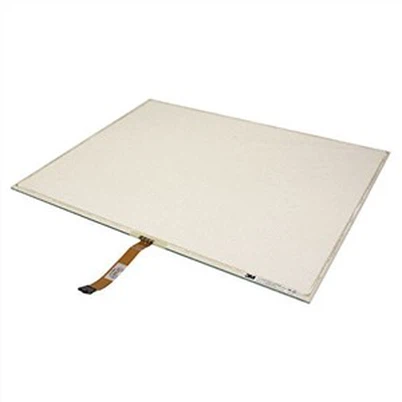
1. Resistive Touch (4-wire / 5-wire)
Advantages: Operable with gloves or oily hands, waterproof touch, low cost.
Applicable scenarios: Machine tools, injection molding, metalworking workshops.
Disadvantages: Single-touch only, average surface hardness.
2. Capacitive Touch (Industrial Projected Capacitive)
Advantages: Smooth multi-touch operation, high scratch resistance.
Applicable scenarios: Clean workshops, warehousing, intelligent production lines, indoor operating stations.
Disadvantages: Unresponsive to thick gloves, prone to ghost touch in humid environments.
Special requirements: Waterproof capacitive touch, explosion-proof touch panels are available as options.
4. Mounting Methods Matching Equipment Structure
• Panel Mount: Embedded installation inside equipment cabinets (most common industrial type).
• Rack Mount: Fits standard 1U/2U industrial control cabinets.
• Wall Mount: Installed on walls of assembly lines and monitoring stations.
• Open Frame: Integrated into self-service equipment and custom operating consoles.
Confirm cutout size and mounting buckle specifications before purchase.
5. Power Supply, Interfaces & Electrical Stability
1. Power Input
Industrial standard: Wide-range DC 12V/24V (adaptive 9~36V) compatible with DC power supplies of vehicles and cabinets; commercial AC 220V-only displays have limited applicability.
2. Video Interfaces
Basic configuration: VGA + HDMI; high-end equipment adds DVI/DP; legacy equipment retains AV port.
3. Industrial Control Interfaces
Add RS232/RS485 serial ports or Ethernet ports if screen parameter software adjustment via communication is needed.
4. Protection Circuits
Must integrate overvoltage, overcurrent and short-circuit protection, plus EMC electromagnetic compatibility to avoid screen flicker and distortion near inverters and motors.
6. Heat Dissipation Structure (Key to Long-Term Stable Operation)
1. Fanless Design (Top Choice)
Pure metal heat sink structure with no dust accumulation, zero noise and zero risk of fan failure, suitable for 24/7 continuous operation.
2. Fan-equipped models are only applicable to low-temperature dust-free machine rooms; fans easily clog and break down in dusty workshops.
7. Enclosure & Durability
• Material: Cold-rolled steel or aluminum alloy full-metal housing for impact resistance.
• Surface treatment: Sandblasting and oxidation for scratch and corrosion resistance.
• Bezel: Narrow bezels save installation space; thick reinforced bezels deliver superior shock resistance.
8. Additional Custom Requirements & Acceptance Standards
1. Specify explosion-proof, AG anti-glare, AR anti-reflection or AF anti-fingerprint coating in advance if required.
2. For year-round non-stop operation, confirm both 50,000-hour backlight lifespan and full wide-temperature performance of the whole unit.
3. After-sales service: Industrial displays require a minimum 2-year warranty, while most commercial displays only offer 1-year coverage.
4. Common Pitfalls to Avoid
• Low-cost second-hand dismantled panels and commercial displays refitted with industrial housings (fail to meet wide-temperature and lifespan standards).
• Models without IP protection or with plastic enclosures and built-in fans are unsuitable for harsh workshop environments.