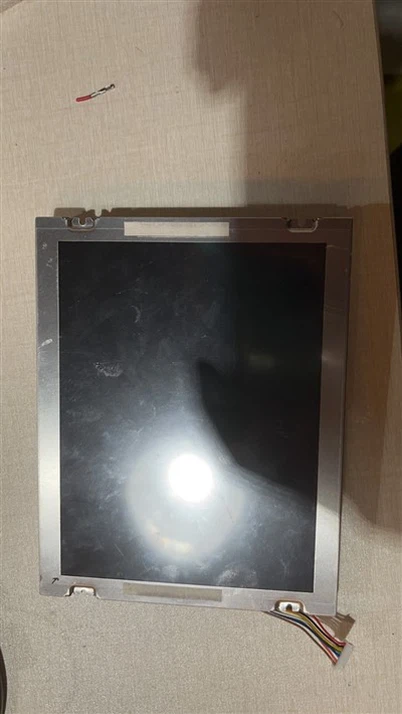
How to Find a Suitable LCD for Your Project
Leave a message
Finding a suitable LCD (Liquid Crystal Display) for your project involves a systematic approach to identify the specific requirements and constraints related to your application. Here's a step-by-step guide to help you find the right LCD for your project:
-

-
- Define Project Requirements:
-
-
1. Application: Clearly define the primary purpose and application of the LCD within your project (e.g., information display, interactive interface, monitoring system, multimedia presentation). - 2. Specifications: Identify specific technical requirements such as screen size, resolution, aspect ratio, viewing angles, brightness, contrast ratio, refresh rate, and color reproduction based on your project needs.
-
-
-
Consider Environmental Factors:
- 1. Operating Conditions: Evaluate the environmental conditions where the LCD will be used (e.g., indoor vs. outdoor, temperature, humidity, ambient light).
- 2. Durability and Reliability: Consider the required durability, reliability, and lifespan of the LCD based on your project's operational requirements and lifecycle expectations.
-
-
Evaluate Interface and Connectivity:
- 1. Compatibility: Ensure the LCD has the necessary interfaces and connectivity options (e.g., HDMI, DisplayPort, VGA, USB) compatible with your project's devices and systems.
- 2. Integration: Evaluate the ease of integration and compatibility with your project's hardware, software, and communication protocols (e.g., touchscreen capabilities, control interfaces).
-
-
Research and Select Suitable Display Technology:
- 1. Display Technology: Choose the appropriate display technology (e.g., IPS, TN, VA, OLED) based on your project's requirements for image quality, viewing angles, response times, and power consumption.
- 2. Customization: Consider displays with customizable features, configurations, and options to meet your project's specific needs and constraints.
-
-
Budget and Cost Considerations:
- 1. Budget Constraints: Determine your budget limitations and prioritize essential features, performance, and quality within your budget constraints.
- 2. Cost-Benefit Analysis: Evaluate the cost-benefit ratio of different LCD options based on your project requirements, expected performance, reliability, and overall value proposition.
-
-
Consult with Suppliers and Experts:
- 1. Vendor Selection: Research and identify reputable suppliers, manufacturers, or distributors specializing in LCD displays suitable for your project requirements.
- 2. Technical Support: Engage with suppliers or industry experts to discuss your project specifications, requirements, and constraints to receive tailored recommendations, technical guidance, and support in selecting the most suitable LCD for your project.
-
-
Prototype and Testing:
- 1. Prototype Development: Develop a prototype or pilot project to evaluate the selected LCD's performance, compatibility, and suitability for your application.
- 2. Testing and Validation: Conduct thorough testing, validation, and evaluation of the LCD under real-world conditions and scenarios relevant to your project to ensure it meets your specifications, requirements, and expectations.
By systematically defining your project requirements, considering environmental factors, evaluating interface and connectivity options, selecting suitable display technology, managing budget constraints, consulting with suppliers and experts, and prototyping/testing, you can identify and select the most suitable LCD display for your project's specific needs, objectives, and constraints.