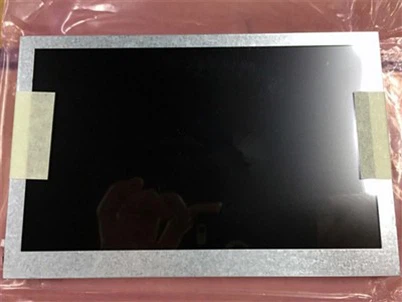
How can we maintain a stretched bar monitor to extend its lifespan?
Leave a message
Stretched Bar monitors tend to have extremely long standby times once in use. So how can you extend their lifespan by using them correctly?
The key lies in controlling the usage environment, following standardized operating procedures, and performing regular maintenance. Specifically, you can follow these points:
1. Control the usage environment and avoid extreme conditions
• Temperature: Keep the ambient temperature between 0℃ and 40℃ (refer to the screen's instruction manual for specific temperatures). Avoid prolonged use in high-temperature environments (such as direct sunlight or proximity to heat sources) or low-temperature environments to prevent accelerated aging of the screen panel and internal components.
• Humidity: Maintain ambient humidity between 30% and 70%. Avoid excessive moisture (which may cause internal short circuits) or excessive dryness (which can easily generate static electricity and damage components).
• Dust prevention: Regularly wipe the screen surface with a dry, soft cloth to remove dust. If used outdoors or in dusty environments, use a dust cover or choose a bar screen with a dustproof rating (IP5X or higher) to prevent dust from entering and clogging the ventilation holes.
2. Standardize usage and reduce hardware wear and tear
• Avoid prolonged full-load operation: For advertising, wayfinding, and other similar scenarios, it is recommended to set a timer break function (e.g., a 30-minute break every 8 hours of operation) to reduce continuous wear and tear on the screen backlight and panel.
• Prevent screen burn-in: Avoid displaying static images (such as static logos or text) for extended periods, especially on OLED strip screens, as prolonged pixel illumination can cause "image retention and burn-in." Consider setting a rotating image or dynamic background.
• Proper power on/off: Avoid frequent power plugging and unplugging or forced power-off. When shutting down, follow the normal procedure, ensuring the screen is completely black before disconnecting the power to prevent damage to the driver board from sudden current surges.
3. Perform routine maintenance and troubleshoot promptly
• Cleaning method: Always disconnect the power before cleaning the screen. Use a dedicated screen cleaner and a microfiber cloth to gently wipe the screen. Avoid using alcohol, hard cloths, or sharp objects to scratch the screen, as this may damage the screen coating.
• Regular Hardware Inspection: Check screen connection cables (such as HDMI and power cords) every 3-6 months for looseness, blockage of ventilation holes, and unusual noises or odors. If any problems are found, contact a professional for repair immediately to prevent further damage.
• Voltage Stability: If the ambient voltage fluctuates significantly (e.g., outdoors, in a factory), it is recommended to use a voltage regulator to prevent damage to the screen power supply module from excessively high or low voltage.