A light touch makes interaction more natural.
Leave a message
When we wake up in the morning, we swipe our finger to unlock our phone. The screen changes instantly as our fingertip passes. At a breakfast shop, we simply tap "soy milk + fried dough sticks" on the ordering screen, and our order is instantly sent to the kitchen. At a shopping mall, we tap the icon of our destination on the navigation screen, and the route is clearly displayed. These screens, which can be controlled with just our fingertips without buttons, have quietly become part of our lives, breaking down the "operational barrier" between people and devices in a more intuitive way.
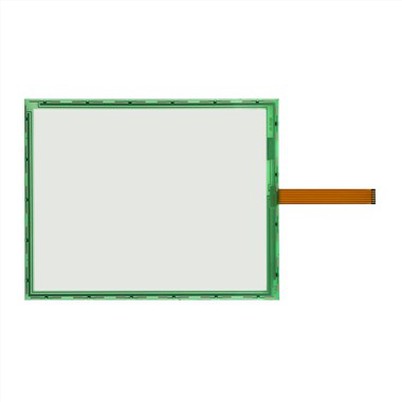
These screens can sense fingertip movements, relying on two common "sensing logics." One, like a phone screen, relies on the weak current generated by the human body. The screen surface has a fine conductive layer. When a fingertip (conductor) approaches, the local current distribution changes. The device detects this change and knows it's been touched. The other, commonly found on screens at express lockers and ATMs, relies on pressure sensing: two transparent films on the inside of the screen come into contact when a fingertip presses, creating a current path and thus identifying the location of the touch. Each method has its own advantages. The former is more responsive and supports multi-finger operations (such as pinching to zoom in on an image), while the latter is waterproof and can be used with gloves, adapting to diverse scenarios.
Beyond mobile devices like phones and tablets, it is replacing traditional buttons in a wider range of applications, providing greater flexibility. At hospital self-service check-in kiosks, patients no longer have to hesitate over densely packed buttons. Instead, they tap icons like "Internal Medicine" and "Schedule an Appointment" and follow the on-screen prompts to complete their tasks, reducing waiting times. In car dashboards, the previously cluttered physical buttons have been replaced with a flat screen. A single tap changes music, and a swipe adjusts the air conditioning temperature, saving space and simplifying the interior. On school whiteboards, teachers no longer need to write with chalk; they can circle and write on the screen with their fingertips. The content can also be saved and shared directly with students, making classroom interaction more efficient. Even in industrial workshops, workers operating equipment while wearing gloves can quickly access production data using these screens, eliminating the risk of pressing the wrong button.
This not only brings "a change in operating methods," but also "an upgraded experience." For seniors, there's no need to remember which button to press for volume or which to select a channel. Large icons and clear text on the screen make it easy to understand at a glance. For children, a swipe of their fingertips lets them flip through picture books and play educational games, providing a more engaging way to explore the world. For businesses, an interactive screen can replace traditional posters – for convenience store promotions or brand events at shopping malls, there's no need to constantly replace paper materials; the screen content can be updated remotely, making it both environmentally friendly and efficient.
Today, these screens are becoming even smarter: some can detect different levels of fingertip pressure (press harder for thicker strokes), some support underwater operation (ideal for sports watches), and some can conform to curved surfaces (such as the curved center console in cars). They're no longer just "operational tools"; they become more like a "dialogue bridge" between people and devices. When we no longer need to learn complex button logic and can "control" devices with the most natural fingertip movements, technology truly becomes "human."
From daily food, clothing, housing and transportation to professional medical, educational and industrial fields, this "fingertip-controlled screen" is quietly reshaping the way we interact with devices, making "do whatever you want, just click" a normal thing, and making life and work more convenient and efficient.